theQuickAssist.cotheQuickAssist.co

Getting Started

  • Overview
  • Quickstart Guide
  • API Keys & Authentication

WhatsApp Templates

  • Module Overview

Appointment Booking

  • Module Overview

Webhooks

  • Webhooks

Create intelligent AI assistants for your website in minutes without coding.

TheQuickAssist is a product of Prominno Labs Pvt. Ltd.

Solutions

  • Real Estate
  • Healthcare
  • Education
  • E-Commerce
  • IT Companies
  • Marketing Agencies
  • Hotels & Restaurants
  • Travel Agencies
  • Salons & Spas
  • Banking & Fintech

Free Tools

  • All Free Tools
  • WhatsApp Chat Button
  • WhatsApp QR Code Generator
  • Free WhatsApp Link Generator

Quick Links

  • AI Chatbot
  • Pricing
  • Blogs
  • Contact Us
  • Documentation

Company

  • Affiliate Program
  • Cancellation & Refunds
  • Shipping
Trustpilot
InstagramFacebookTwitter
theQuickAssist.co

2026 TheQuickAssist.co. All rights reserved.

Privacy PolicyTerms of ServiceCookie Policy
Documentation/API Keys

Manage Your API Keys

Your API key is required to authenticate requests to TheQuickAssist API. You can generate multiple API keys for different services, reveal and copy them anytime, and manage key permissions securely.

Multiple API Keys

Create independent keys for staging, production, or custom CRMs.

Copy Anytime

Reveal and copy your full working API key directly from your dashboard whenever needed.

AES-256-GCM Encrypted

Keys are encrypted at rest using authenticated encryption.

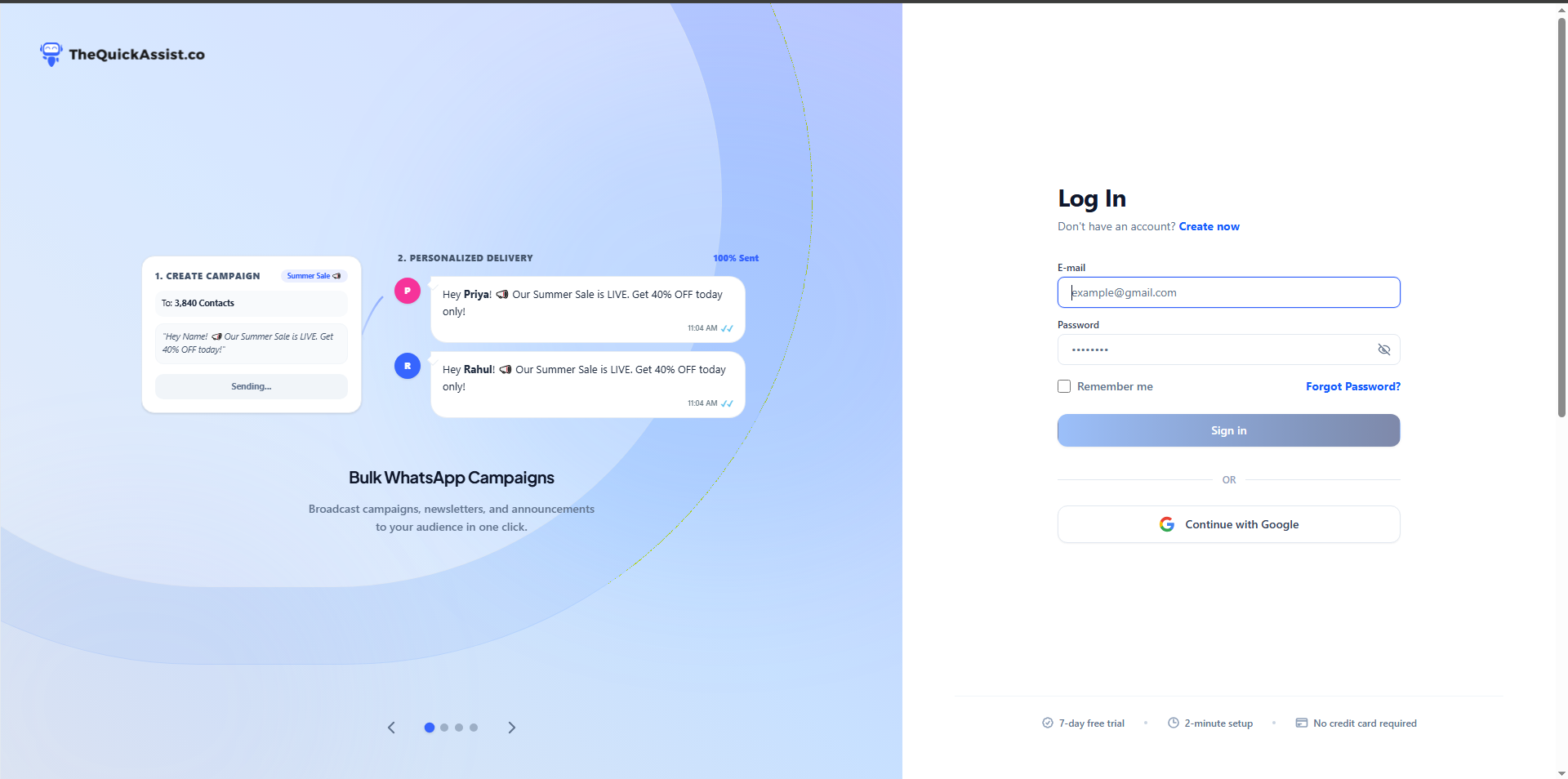
1. Log in to Dashboard

Go to your TheQuickAssist dashboard and sign in with your credentials.

TheQuickAssist Login Screen

2. Navigate to API Integration

Once logged in, navigate to Developer → API Keys in your dashboard sidebar.
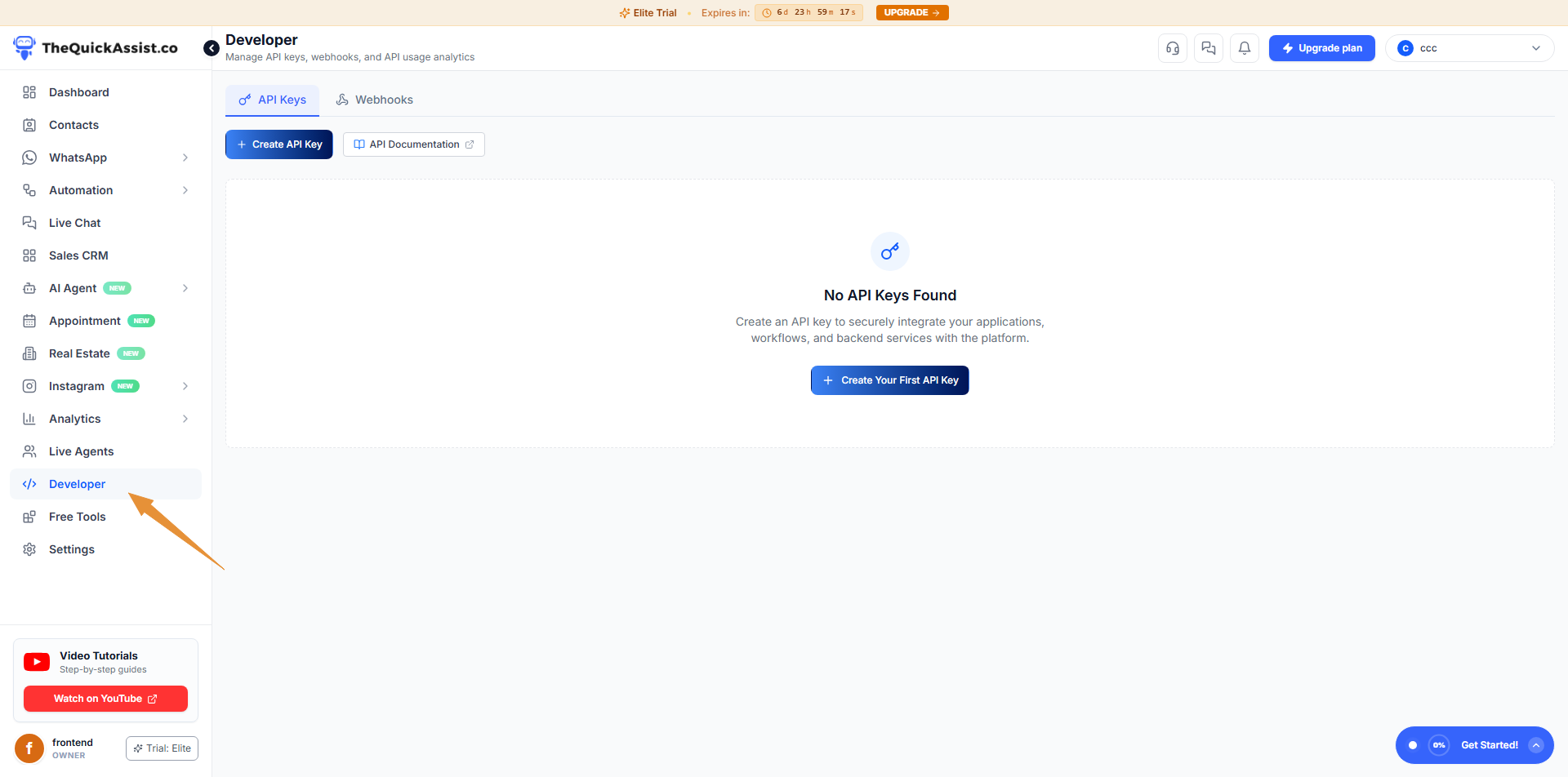
API Integration Tab

3. Generate and Manage API Keys

Click Create API Key, enter a key name (e.g. Production CRM), and choose an optional expiry date.
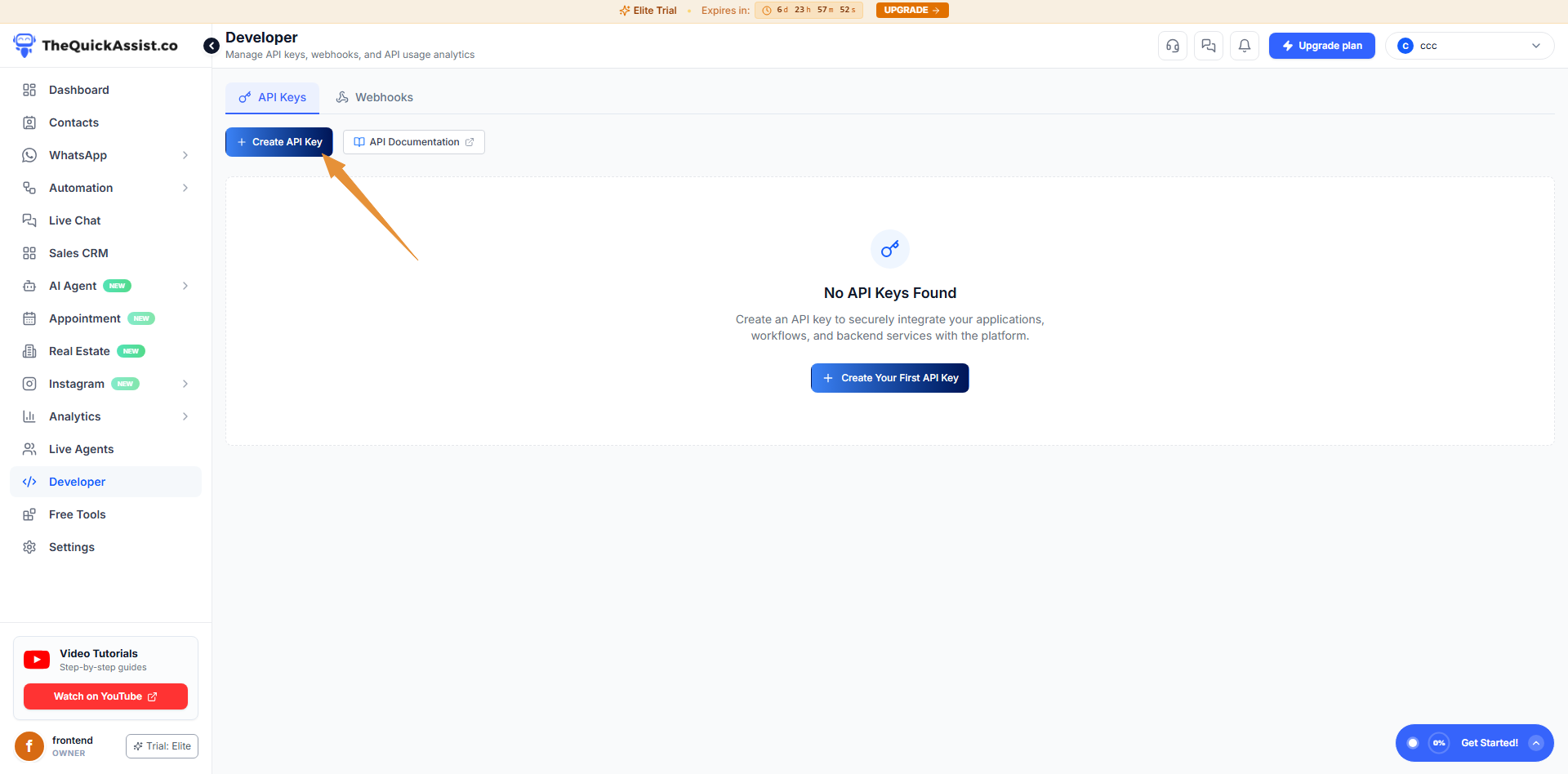
Generate API Key Screen

How to Authenticate API Requests

Pass your API key in the x-api-key header with every request:

curl -X GET "https://gateway-api.aichatbot.websitebyct.in/v1/templates" \
  -H "x-api-key: tqa_live_YOUR_API_KEY_HERE"

Security Best Practices

  • Store API keys securely in backend environment variables (never expose them in client-side frontend code).
  • Create dedicated API keys for different applications or integrations so you can revoke them independently.
  • Rotate keys periodically for enhanced security.